
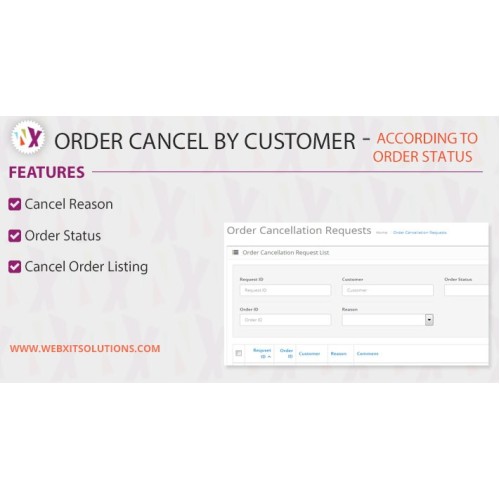


Order Cancel by Customer OC 2.x
This Extensions allow customers to cancel their orders.....
Installation OC 2.0
Follow the Step by Step Guide to Setup the Extension.....
1. Upload the all the catalog and admin files in proper location.
2. Upload the order_cancellation.ocmod file in Extension Installer.
3. Refresh Modifications after uploading the Ocmod file
4. After Uploading files and refresh the Modification go to Systern => Users => Users Group.
5. Under Users Group Edit Administrator Link and Click Select all under the Access Permission and Modify Permission
6. Now go to System => Localisation => Order Statuses to add or Modify the Order Status
7. Under the System => Localisation => Order Cancel Reasons In which you add or modify the order cancel reasons
8. At last Go to Module Section and Install the Order Cancellation Module and Click edit Button and check the check box when User/Customer able to Cancel the Order
For Support Contact Us : rahul.k.juneja@gmail.com
This Extensions allow customers to cancel their orders.....
Installation OC 2.0
Follow the Step by Step Guide to Setup the Extension.....
1. Upload the all the catalog and admin files in proper location.
2. Upload the order_cancellation.ocmod file in Extension Installer.
3. Refresh Modifications after uploading the Ocmod file
4. After Uploading files and refresh the Modification go to Systern => Users => Users Group.
5. Under Users Group Edit Administrator Link and Click Select all under the Access Permission and Modify Permission
6. Now go to System => Localisation => Order Statuses to add or Modify the Order Status
7. Under the System => Localisation => Order Cancel Reasons In which you add or modify the order cancel reasons
8. At last Go to Module Section and Install the Order Cancellation Module and Click edit Button and check the check box when User/Customer able to Cancel the Order
For Support Contact Us : rahul.k.juneja@gmail.com
At a glance
| Developer | Webreckon |
|---|---|
| Platform | OpenCart |
| Requires | vqmod,ocmod |
| Multi-language | Yes |
| Multi-store | Yes |
| Support / updates | 3 months support Free and 1 Year Update |
| Date added | 06/03/2018 |
|---|---|
| Last updated | 25/04/2025 |
| Developer | Webreckon |
| Platform | OpenCart |
| Compatible with | 2.0.0.0, 2.0.1.0, 2.0.1.1, 2.0.2.0, 2.0.3.1, 2.1.0.1, 2.1.0.2, 2.2.0.0, 2.3.0.0, 2.3.0.1, 2.3.0.2, 3.0.2.0, 3.0.1.2 |
| Requires | vqmod,ocmod |
| Modifies core files | No |
| Multi-language | Yes |
| Multi-store | Yes |
| Licence type | Single domain |
| Support / updates | 3 months support Free and 1 Year Update |
Work with Webreckon
Let’s Build Something That Brings In Business
Websites, online stores, custom software and marketing from one team in Ludhiana. We usually reply within a couple of minutes during business hours.